
Buying a new TV seems simple until you’re standing in a store (or scrolling online) faced with dozens of sizes 32-inch, 43-inch, 55-inch, 65-inch, 75-inch, and even larger. Many people assume “bigger is better,” but that’s not always true. A TV that’s too large for your room can feel overwhelming and strain your eyes, while one that’s too small can make movies and sports feel underwhelming.
Choosing the right TV size is all about balancing screen size, viewing distance, room layout, and resolution. This guide breaks everything down in a simple, practical way so you can confidently pick the perfect TV for your space.
Why TV Size Matters More Than You Think
TV size plays a crucial role in how comfortable and engaging your viewing experience feels. It isn’t just about preference but also about how your eyes, room layout, and screen distance interact. Choosing the wrong size can negatively impact clarity, immersion, and overall enjoyment of what you watch regularly.
- Too large for your space: You may notice pixelation, feel eye strain, or constantly move your head while watching.
- Too small for your space: You lose immersion and detail, especially in movies, sports, and gaming.
The goal is to find a size that feels natural—where you’re immersed in the content without being overwhelmed by the screen.
Step 1: Measure Your Viewing Distance
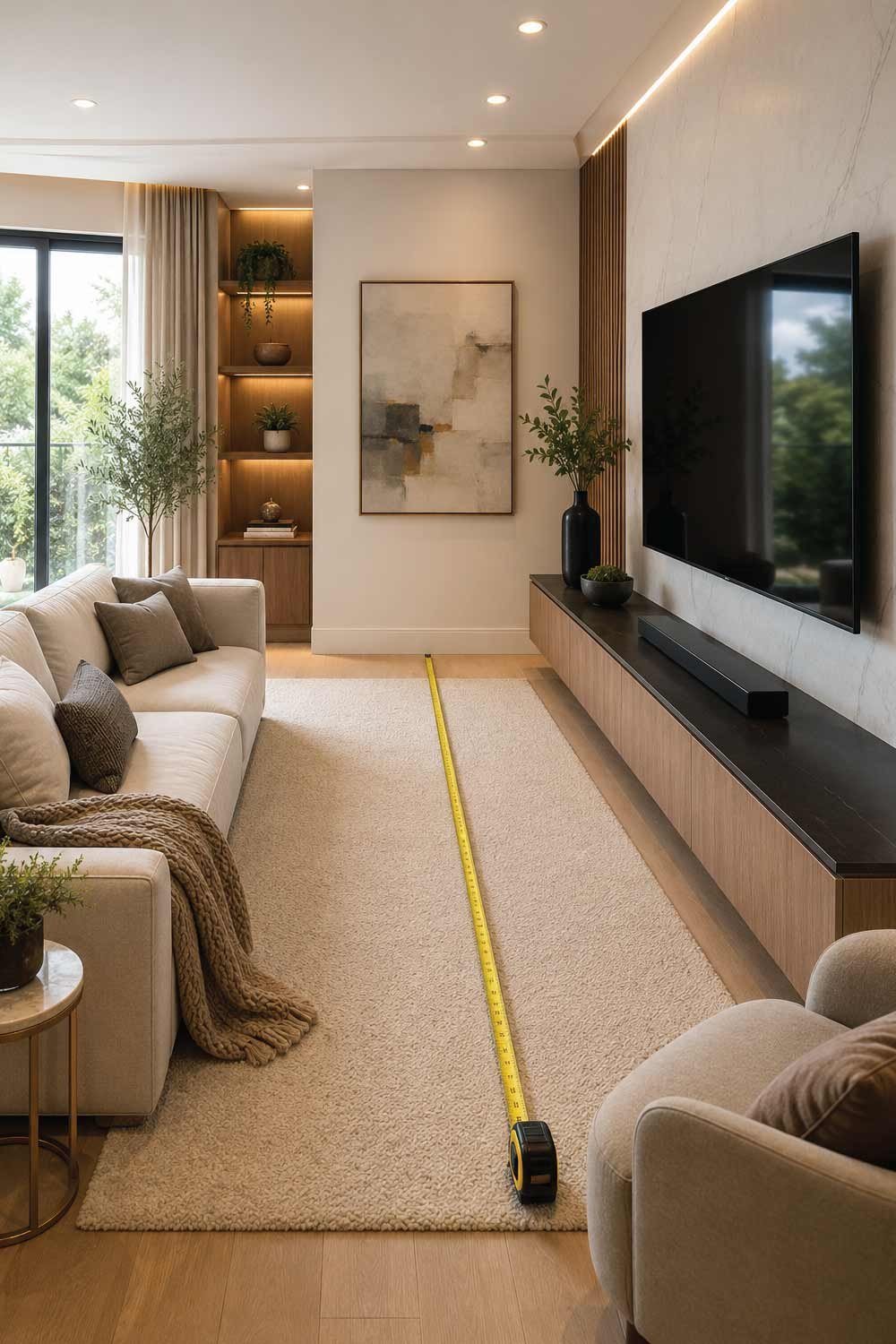
The most important factor in choosing a TV size is how far you’ll sit from the screen, because viewing distance directly impacts comfort, clarity, and immersion. A poorly matched distance and screen size can reduce detail, cause discomfort, and make watching less enjoyable over long periods.
Basic Rule of Thumb
A simple guideline is:
- Viewing distance (in inches) ÷ 2 = ideal TV size
But modern TVs (especially 4K models) allow you to sit closer without losing clarity.
More Accurate Recommendations
For 4K Ultra HD TVs:
- 32” TV → 4–6 feet distance
- 43” TV → 5–7 feet distance
- 55” TV → 6–8 feet distance
- 65” TV → 7–9 feet distance
- 75” TV → 8–10 feet distance
For 1080p Full HD TVs (older or budget models):
- You need to sit slightly farther back to avoid seeing pixels.
Explore Details:
Full Size Mattress Dimensions : Complete Guide for Comfortable Sleep
Step 2: Consider Your Room Size
Your room size and layout significantly influence what TV size will feel balanced and comfortable. A screen that looks perfect in a showroom may feel too large or too small at home depending on wall distance, furniture placement, and seating arrangement, so it is important to match TV size with room proportions.
Small Rooms (Bedroom, Small Apartment)
Best TV sizes:
- 32 to 43 inches
Why:
- Space is limited
- Viewing distance is shorter
- A large TV can dominate the room
Ideal placement:
- Wall-mounted opposite the bed
- Or placed on a compact stand
Medium Rooms (Standard Living Room)
Medium-sized rooms are the most common living spaces, so TV selection here needs balance between immersion and practicality. The goal is to choose a screen that fits comfortably within your viewing distance while still providing a cinematic feel without overwhelming the room or causing visual fatigue during extended watching.
Best TV sizes:
- 43 to 65 inches
Why:
- Balanced viewing distance
- Works well for families and casual viewing
- Good for streaming, gaming, and sports
This is the most common range for modern homes.
Large Rooms (Open Living Area / Home Theater Setup)
Large rooms or open living spaces require bigger TVs to maintain visual impact and proper immersion. Because seating is farther away, smaller screens can appear less engaging and harder to see in detail. Choosing the right large-screen size ensures a cinematic experience that fills the space without losing clarity or presence.
Best TV sizes:
- 65 to 85 inches or larger
Why:
- Longer viewing distances
- More immersive experience
- Better for cinematic viewing and gaming setups
Tip: In large rooms, a small TV can feel lost and less engaging.
Step 3: Think About TV Resolution
TV resolution determines how sharp and detailed the picture looks, and it directly affects how close you can comfortably sit without noticing individual pixels. Higher resolution screens deliver smoother images even at shorter distances, while lower resolution TVs require more distance to maintain clarity and avoid a grainy appearance.
4K Ultra HD TVs
- Sharp image quality
- Allows closer seating
- Best choice for most modern homes
8K TVs (premium range)
- Extremely high detail
- Best for very large screens (75”+)
- Still limited content availability
Full HD (1080p) TVs
- Budget-friendly
- Best for smaller sizes (under 43”)
- Not ideal for large screens
If you’re unsure, a 4K TV is the safest and most future-proof choice.
Explore Details:
Step 4: Match TV Size to Purpose
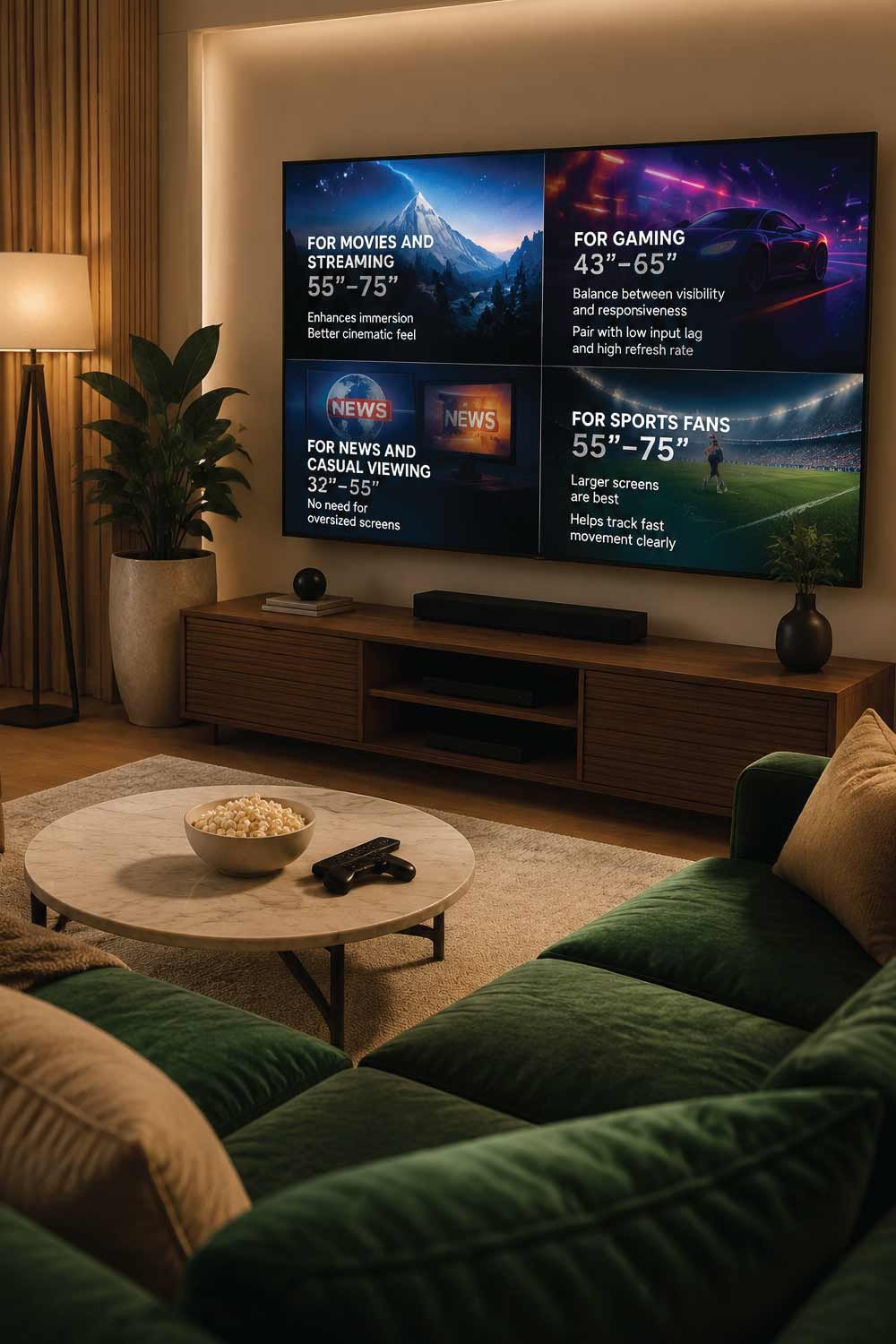
Choosing the right TV size also depends on how you plan to use it, because different activities benefit from different screen dimensions. Entertainment type affects how immersive, responsive, or practical your viewing experience should be, so matching size with purpose helps you get the best overall performance.
For Movies and Streaming
- Go larger (55”–75”)
- Enhances immersion
- Better cinematic feel
For Gaming
- 43”–65” is ideal
- Balance between visibility and responsiveness
- Pair with low input lag and high refresh rate
For News and Casual Viewing
- 32”–55” is sufficient
- No need for oversized screens
For Sports Fans
- Larger screens (55”–75”) are best
- Helps track fast movement clearly
Step 5: Consider TV Placement
TV placement has a major impact on how large your screen should be, because the same TV can feel different depending on where and how it is installed. Wall mounting, furniture size, and room layout all influence viewing comfort, angles, and how naturally the screen fits into your space.
Wall-Mounted TV
Wall mounting often allows you to choose a slightly larger screen because it frees up floor space and creates a cleaner setup. It also improves viewing height flexibility, making it easier to align the screen with your seating position while maintaining a modern, minimal look in the room.
Allows slightly larger screen
Saves space
Creates a clean, modern look
TV Stand or Cabinet
Using a TV stand or cabinet can limit the maximum screen size because the TV must physically fit the furniture width. However, it offers flexibility, as you can easily move or replace the TV setup without drilling walls or making permanent installation changes.
Limits maximum size based on furniture width
Easier to reposition
Corner Placement
Placing a TV in a corner often reduces optimal viewing angles, which may require a smaller screen for better comfort. A smaller size helps ensure the entire screen remains visible without turning your head excessively or straining your eyes from uneven angles.
May require smaller screen for comfortable viewing angles
Step 6: Viewing Angle and Eye Level
Viewing angle and eye level are essential for long-term comfort, especially during extended watching sessions. Even the perfect TV size can feel uncomfortable if it is mounted too high or positioned incorrectly, leading to neck strain and reduced enjoyment over time.
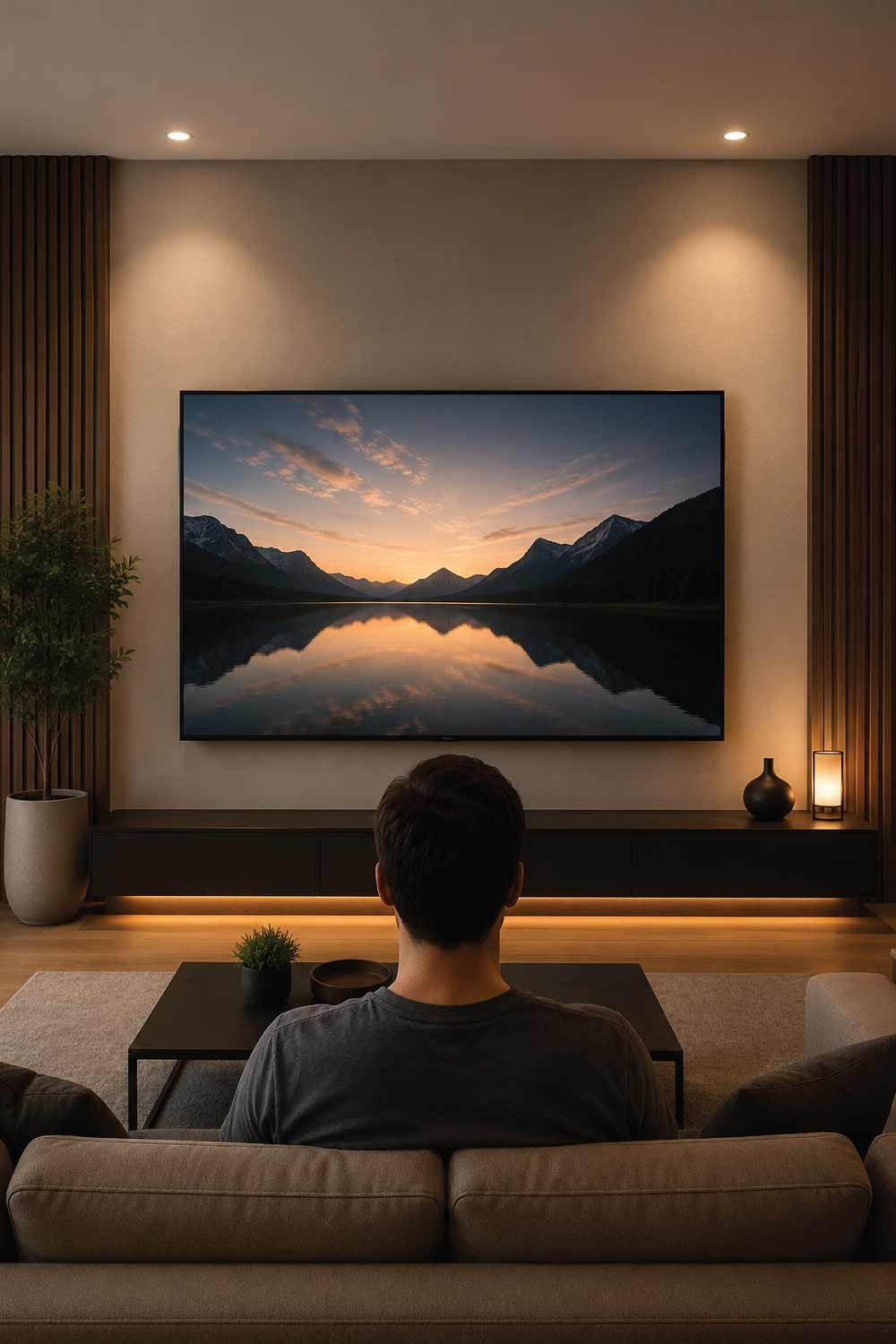
Ideal Setup:
The TV should be positioned so the center of the screen aligns with your eye level when seated. This ensures a natural viewing posture and reduces strain on your neck and eyes. The screen should also face directly toward your main seating area for the best visual experience.
- TV center should be at eye level when seated
- Screen should face directly toward seating area
If a TV is too large and mounted too high:
- You’ll strain your neck
- Viewing becomes uncomfortable over time
Step 7: Don’t Ignore Bezel Size and Design
TV design details like bezels and stands can subtly influence how large a TV appears in your space. While screen size is measured diagonally, the actual visual impact depends on frame thickness, stand width, and how the TV integrates with your furniture or wall setup.
- Thin bezels = larger perceived screen
- Thick frames = slightly smaller viewing area
Also consider:
- Stand width (for tables or cabinets)
- Wall clearance if mounting
Explore Details:
12 Affordable Living Room Furniture Ideas for a Stylish Budget-Friendly Home
Step 8: Common Mistakes People Make
Many people make avoidable mistakes when selecting a TV size, often leading to regret after purchase. These errors usually come from focusing too much on price, underestimating space requirements, or ignoring real viewing conditions in the home environment.
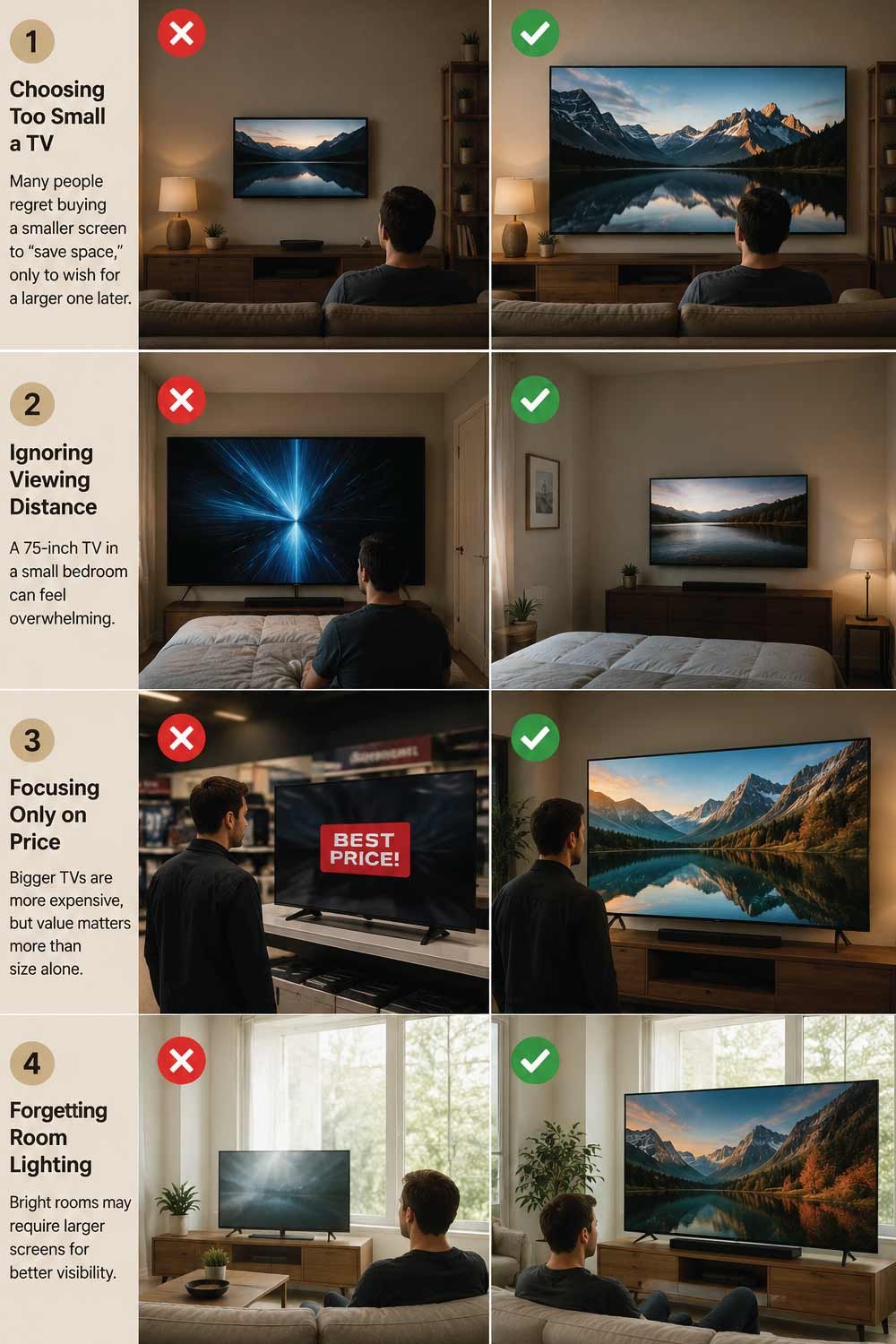
1. Choosing Too Small a TV
A very common mistake is selecting a smaller screen to save money or space. However, users often later regret this decision when the display feels insufficient for movies, gaming, or sports viewing, especially in larger rooms.
Many people regret buying a smaller screen to “save space,” only to wish for a larger one later.
2. Ignoring Viewing Distance
Placing a large TV in a small room can overwhelm the viewing experience and reduce comfort. Without proper distance planning, even high-quality screens can feel too close or visually tiring over time.
A 75-inch TV in a small bedroom can feel overwhelming.
3. Focusing Only on Price
While budget is important, choosing a TV solely based on cost can lead to compromises in size, quality, or usability. A slightly higher investment often provides significantly better long-term value and satisfaction.
Bigger TVs are more expensive, but value matters more than size alone.
4. Forgetting Room Lighting
Room brightness affects how well the TV performs visually. In bright environments, smaller screens may appear less clear or immersive, while appropriately sized TVs help maintain visibility and contrast.
Bright rooms may require larger screens for better visibility.
Step 9: Quick TV Size Guide (Simple Reference)
This section gives you a fast, no-confusion reference for choosing the right TV size based on typical room types. It is designed to simplify decision-making so you can quickly match your space with a suitable screen range without deep calculations or technical considerations.
- Small Bedroom: 32”–43”
- Medium Bedroom / Small Living Room: 43”–55”
- Standard Living Room: 55”–65”
- Large Living Room / Home Theater: 65”–85”
Step 10: Future-Proof Your Choice
Future-proofing your TV choice means thinking beyond your current needs and considering how your usage, room setup, and entertainment habits might change over time. A TV is a long-term purchase, so selecting wisely ensures better value, comfort, and satisfaction for years instead of just immediate convenience.
Ask yourself:
- Will I move to a larger space soon?
- Will I use this TV for 5+ years?
- Do I want a cinematic experience or casual viewing?
A good TV is an investment, so think long-term.
Final Thoughts
Choosing the right TV size isn’t just about picking the biggest screen you can afford. It’s about finding the perfect balance between your room size, viewing distance, resolution, and usage habits.
A well-sized TV blends naturally into your space, delivers a comfortable viewing experience, and enhances everything from movie nights to gaming sessions.
If you follow the guidelines in this article, you’ll avoid common buying mistakes and end up with a TV that feels like it was made for your room—not too big, not too small, but just right.
