
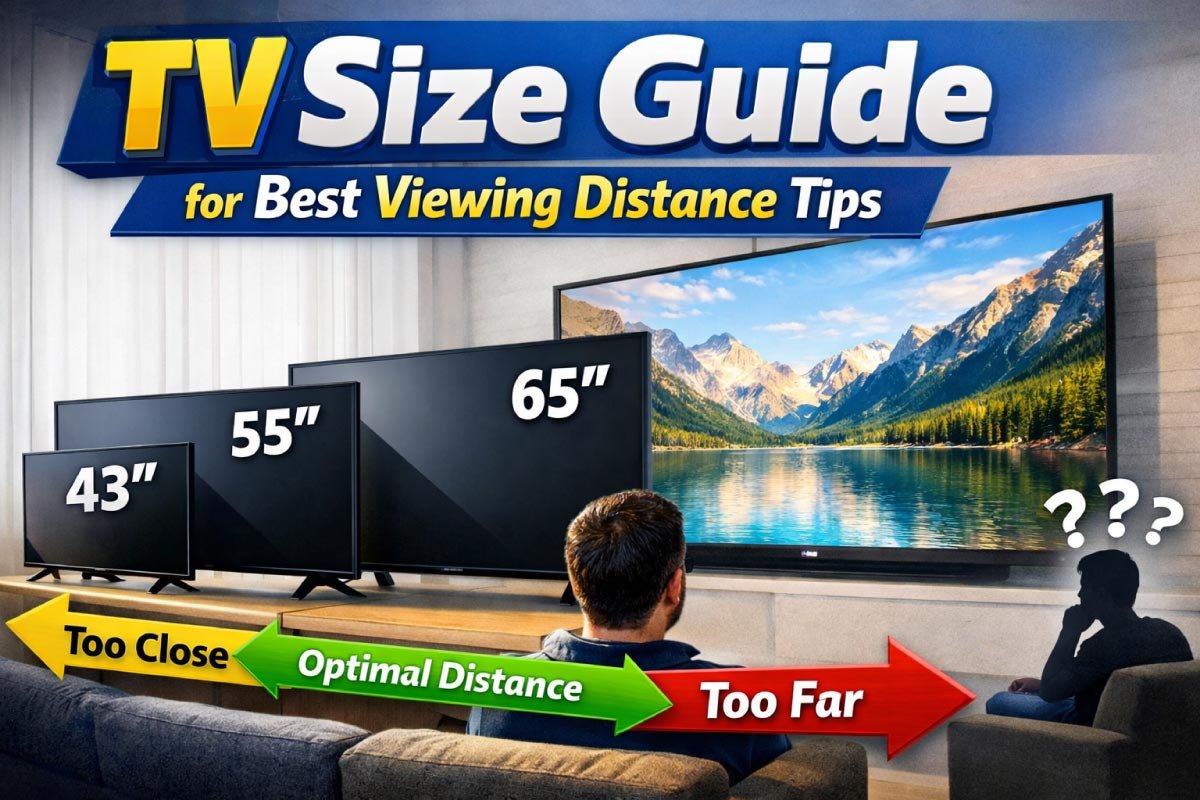
Choosing the right TV size can make a world of difference in your viewing experience.
Too small, and details get lost. Too large, and you may find yourself moving your eyes (or head!) too much, or even seeing individual pixels.
The perfect TV setup creates an immersive experience, balancing screen size, resolution, and viewing distance.
In this complete guide, you will learn:
- How viewing distance affects comfort
- How to choose the ideal TV size
- Tips for different room settings
- Tables (4 total!) to help you compare sizes
Why TV Size and Viewing Distance Matter
Modern TVs aren’t just bigger—they’re sharper, brighter, and more immersive.
Choosing the right size and positioning is essential for comfort and experience.
Proper viewing distance ensures you enjoy every detail, reduce eye strain, and fully immerse yourself in movies, shows, or games.
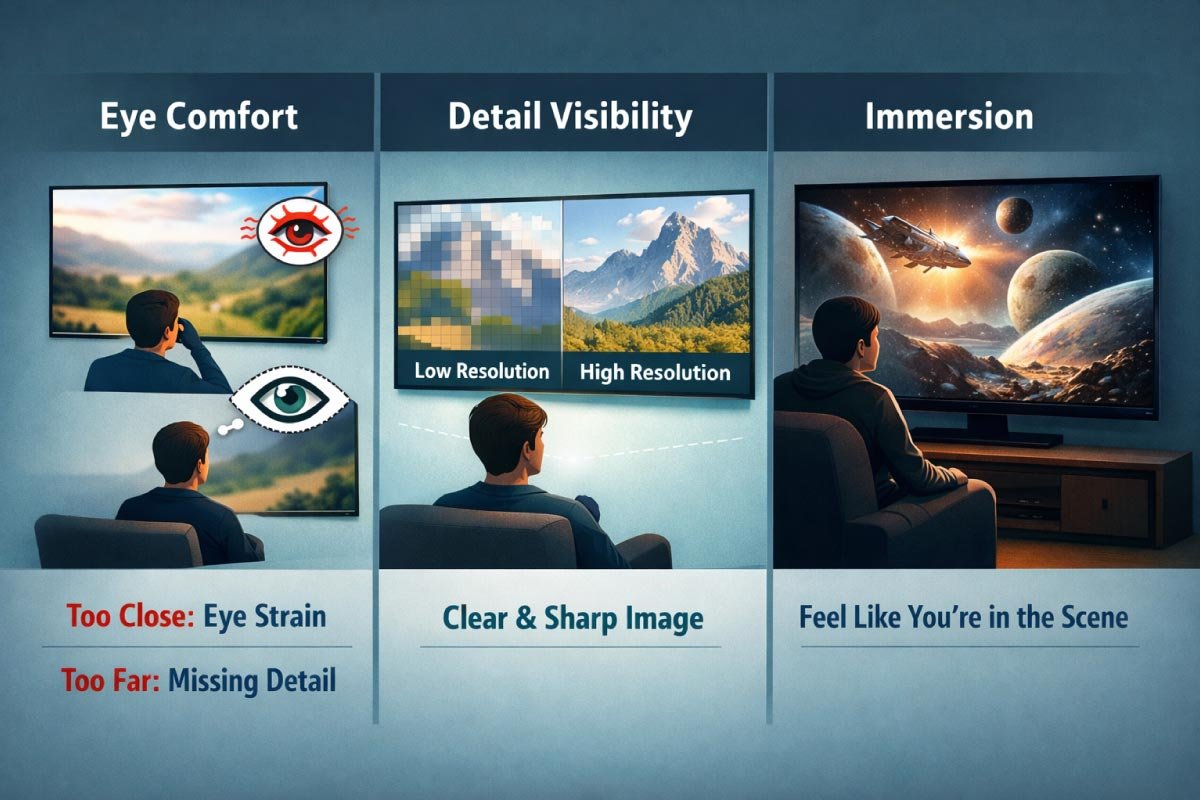
Here’s why:
-
Eye Comfort: Too close and your eyes work harder; too far and you miss detail.
-
Detail Visibility: Higher resolutions allow closer viewing without noticing pixels.
-
Immersion: The right balance enhances your sense of being in the scene.
What Is “Optimal Viewing Distance”?
Viewing distance is the space between where you sit and your TV screen.
It’s measured in feet or meters and directly relates to how large the TV should be for comfortable and immersive viewing.
There’s no single “perfect” distance—what matters is comfort and clarity.
However, experts often recommend using a multiplier of your TV size to estimate an ideal range.
Standard Viewing Distance Chart (by TV Size)
Understanding the ideal TV viewing distance ensures a comfortable and immersive experience.
This table provides recommended minimum, optimal, and maximum distances for various 4K TV sizes, helping you position your screen perfectly.
Use the general rule of multiplying your TV’s diagonal by 1.5–2.5 for quick guidance.
| TV Size (Diagonal) | Minimum Viewing Distance | Recommended Viewing Distance | Maximum Viewing Distance |
|---|---|---|---|
| 43″ | 3.5 ft (1.1 m) | 4.5 ft (1.4 m) | 6 ft (1.8 m) |
| 50″ | 4 ft (1.2 m) | 5 ft (1.5 m) | 6.7 ft (2 m) |
| 55″ | 4.5 ft (1.4 m) | 5.5 ft (1.7 m) | 7.3 ft (2.2 m) |
| 65″ | 5.3 ft (1.6 m) | 6.5 ft (2 m) | 8.7 ft (2.6 m) |
| 75″ | 6.1 ft (1.9 m) | 7.5 ft (2.3 m) | 10 ft (3 m) |
| 85″ | 6.8 ft (2.1 m) | 8.5 ft (2.6 m) | 11.3 ft (3.4 m) |
Rule of thumb: Multiply your TV size by 1.5 to 2.5 to estimate the best viewing distance.
How Viewing Distance Changes by Resolution
The ideal distance between a viewer and a TV depends heavily on the screen’s resolution.
Higher resolutions allow closer viewing without noticing pixelation, while lower resolutions require sitting farther away for a clear picture.
Understanding these relationships can enhance your viewing experience, prevent eye strain, and help you choose the right TV size for your room.
1. The Basics of Viewing Distance
Viewing distance is the space between your eyes and the TV screen. It affects perceived sharpness and comfort.
Lower resolution TVs, like 1080p, require sitting farther away to avoid visible pixels, whereas higher resolution displays, such as 4K or 8K, allow closer seating.
Proper distance balances immersion with visual clarity and reduces eye fatigue.
2. 1080p TVs and Distance Guidelines
For Full HD 1080p TVs, the optimal viewing distance is generally 1.5 to 2.5 times the screen’s diagonal size.
Sitting too close makes individual pixels noticeable, reducing image quality.
Conversely, sitting too far may waste resolution benefits.
Maintaining recommended distances ensures smooth, detailed images and a comfortable visual experience.
3. 4K TVs Allow Closer Viewing
4K TVs have four times the pixel count of 1080p screens, enabling viewers to sit closer without noticing pixelation.
The optimal distance is typically 1 to 1.5 times the screen’s diagonal.
This proximity enhances immersion, especially for large screens, letting you enjoy sharper details in movies, gaming, and high-definition content.
4. 8K TVs and Ultra-Close Experiences
8K TVs offer extremely high resolution, allowing viewers to sit very close, often equal to or slightly more than the screen’s diagonal.
At this distance, individual pixels are imperceptible, providing cinema-like detail and clarity.
This makes 8K ideal for massive screens or home theaters where immersive experiences are prioritized.
5. Other Factors Affecting Distance
While resolution is crucial, room size, screen size, and personal comfort also influence viewing distance.
Lighting conditions, content type, and eyesight quality matter too. Combining these factors with resolution guidelines ensures optimal setup.
Adjusting distance according to these variables maximizes visual quality, reduces strain, and creates a satisfying viewing experience.
Viewing Distance by Resolution
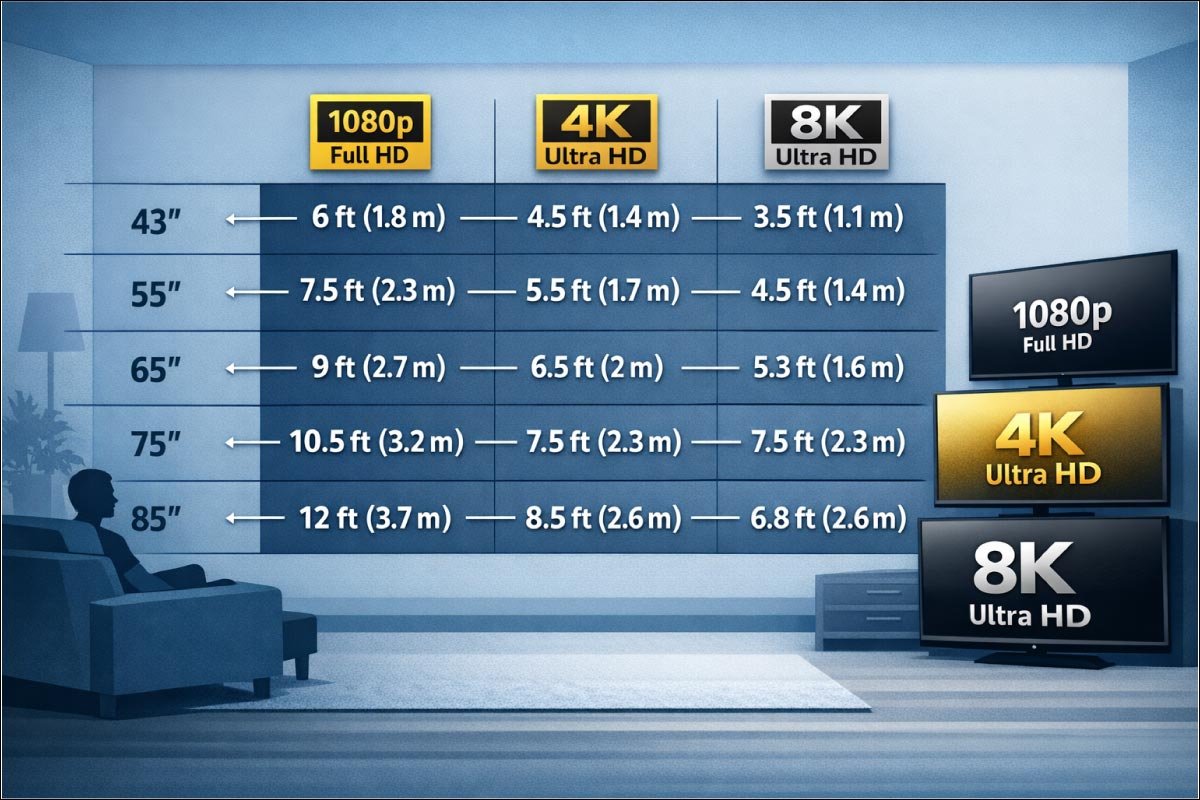
TV resolution affects how close you can sit without noticing pixelation.
This table outlines optimal viewing distances for 1080p, 4K, and 8K TVs of various sizes.
Higher-resolution screens allow closer seating, enhancing detail and immersion, making it easier to enjoy sharper images without straining your eyes.
| TV Size | 1080p (Full HD) | 4K Ultra HD | 8K Ultra HD |
|---|---|---|---|
| 43″ | 6 ft (1.8 m) | 4.5 ft (1.4 m) | 3.5 ft (1.1 m) |
| 55″ | 7.5 ft (2.3 m) | 5.5 ft (1.7 m) | 4.5 ft (1.4 m) |
| 65″ | 9 ft (2.7 m) | 6.5 ft (2 m) | 5.3 ft (1.6 m) |
| 75″ | 10.5 ft (3.2 m) | 7.5 ft (2.3 m) | 6.1 ft (1.9 m) |
| 85″ | 12 ft (3.7 m) | 8.5 ft (2.6 m) | 6.8 ft (2.1 m) |
Tip: If you’re upgrading from 1080p to 4K, you can comfortably sit about 1.5 feet closer on average.
How to Calculate Viewing Distance Yourself
Finding the perfect TV viewing distance ensures an immersive experience without straining your eyes.
It depends on your TV size, room layout, and personal comfort.
By applying a simple formula using your TV’s diagonal measurement and a multiplier, you can determine an ideal range that balances clarity, comfort, and cinematic enjoyment.
1. Understanding the TV Size Multiplier
The multiplier helps translate your TV’s diagonal size into an appropriate viewing distance.
For close and immersive experiences, typically with 4K or 8K TVs, use 1.2–1.5. For standard comfortable viewing, 1.5–2.5 works well. In larger rooms, distances above 2.5 create a relaxed setup.
The multiplier adjusts according to screen resolution and personal preference.
2. Calculating Minimum Viewing Distance
To determine the closest comfortable distance, multiply the TV’s size by 1.2.
This ensures you are near enough for a fully immersive experience but not so close that the picture becomes overwhelming.
For example, a 65″ TV × 1.2 = 78″, which is roughly 6.5 feet or 2 meters from the screen, ideal for cinematic detail.
3. Calculating Maximum Viewing Distance
For maximum comfort without losing clarity, multiply the TV size by 2.5 or more, depending on room space.
This is especially useful in large living rooms. For a 65″ TV × 2.5 = 162″ (around 13.5 feet / 4.1 meters).
Beyond this, details may blur, and the immersive effect reduces, making it suitable for casual, relaxed viewing.
4. Adjusting for Screen Resolution
Higher resolution screens allow closer viewing without noticing pixelation.
For 4K and 8K TVs, you can safely use the lower multiplier range of 1.2–1.5. Lower-resolution TVs require more distance to maintain picture quality.
Always consider your TV’s resolution to avoid eye strain while maximizing visual sharpness and overall enjoyment of your content.
5. Considering Room Layout and Seating
Viewing distance isn’t just about calculations—it also depends on your room’s layout and seating arrangement.
Factor in furniture placement, walls, and multiple viewers. The calculated range provides flexibility; adjust slightly based on comfort and angles.
Ensuring an unobstructed line of sight and proper distance prevents fatigue and enhances the viewing experience for everyone.
Discover More:
Sitting Too Near or Too Far — What Happens?
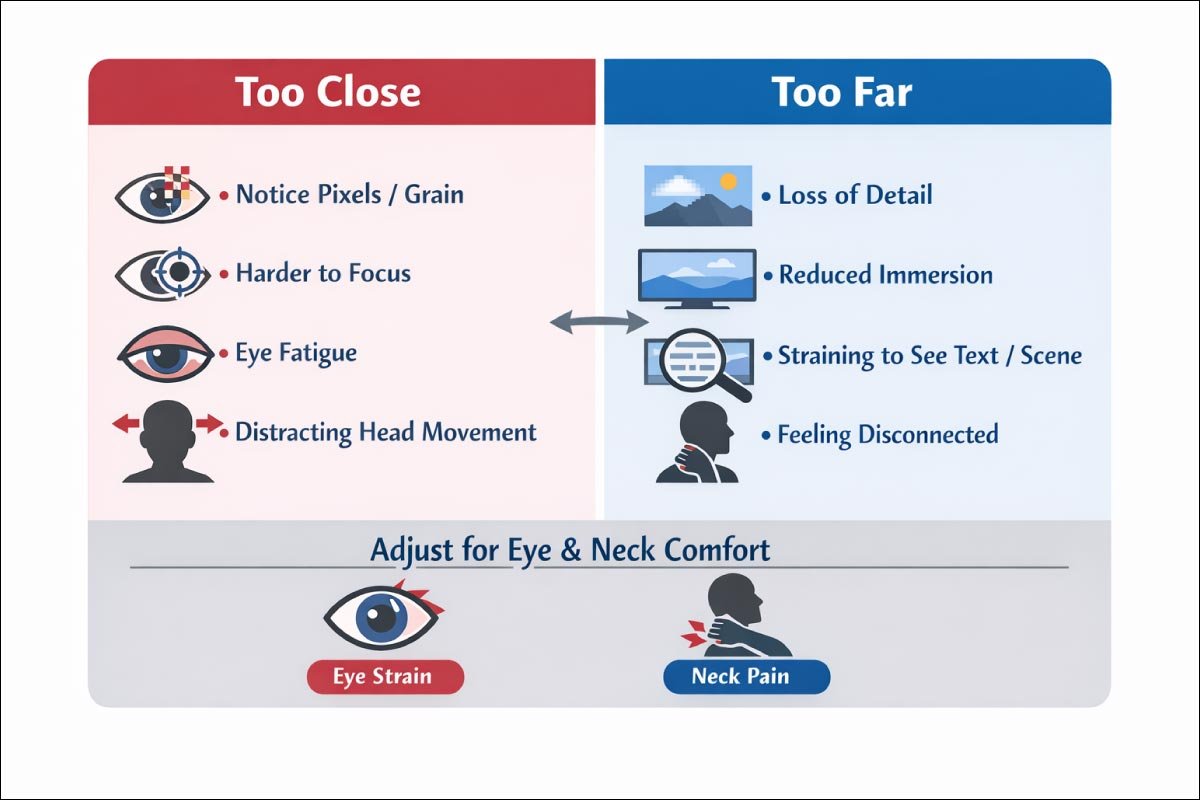
Sitting at the right distance from your TV is key for comfort and viewing quality.
Too close can cause eye strain and visible pixels, while too far reduces detail and immersion.
This table highlights common effects of poor positioning and emphasizes adjusting for optimal eye and neck comfort.
| Too Close | Too Far |
|---|---|
| Notice pixels/grain | Loss of detail |
| Harder to focus | Reduced immersion |
| Eye fatigue | Straining to see text/scene |
| Distracting head movement | Feeling disconnected |
What matters most is eye comfort. If your neck or eyes feel strained, adjust your position or screen size.
Discover More:
Room Layout & TV Placement Tips
Your living space plays a huge role in TV enjoyment.
Proper placement considers seating, lighting, and room shape to optimize comfort and viewing angles.
Thoughtful planning ensures everyone sees clearly, reduces glare, and creates a balanced, inviting environment for movies, gaming, or casual TV time.
Living Room Entertainment Setup
Creating the perfect living room setup balances comfort, screen size, and viewing distance.
By positioning your sofa, choosing the right TV, and matching resolution to screen size, you maximize detail, immersion,
and eye comfort—turning everyday viewing into a cinematic experience.
-
Sofa to TV distance: 10–12 ft (3–3.7 m)
-
Ideal TV size: 75″ – 85″
-
Resolution recommendation: 4K or 8K
Bedroom TV Setup
In bedrooms, TV placement focuses on comfort and relaxation.
Proper distance, size, and viewing angles ensure you can enjoy shows or movies from bed without straining your eyes.
Thoughtful setup creates a cozy entertainment corner that complements your restful space.
-
Bed to TV distance: 6–10 ft (1.8–3 m)
-
Ideal TV size: 50″ – 65″
-
Motivation: Comfortable viewing from bed
Gaming Room Setup
Gaming setups demand precision, responsiveness, and comfort.
Proper TV distance, size, and refresh rate ensure fast action is smooth, visuals are crisp, and eyes stay comfortable during long sessions.
Optimizing these factors elevates gameplay and creates an immersive, competitive-friendly environment.
-
You might sit closer, around 4–7 ft (1.2–2.1 m)
-
Ideal TV: 55″ – 75″
-
120 Hz and low latency features are valuable
Recommended TV Size by Room Distance
Choosing the right TV size for your room ensures an immersive experience without overwhelming your space.
This table matches viewing distances with recommended screen sizes and ideal resolutions.
Following these guidelines helps optimize detail, comfort, and visual enjoyment, whether your room is compact or spacious.
| Viewing Distance | Recommended TV Size | Ideal Resolutions |
|---|---|---|
| 4–6 ft (1.2–1.8 m) | 43″ – 55″ | 4K / 8K |
| 6–8 ft (1.8–2.4 m) | 55″ – 65″ | 4K / 8K |
| 8–10 ft (2.4–3 m) | 65″ – 75″ | 4K / 8K |
| 10–12 ft (3–3.7 m) | 75″ – 85″ | 4K / 8K |
| 12+ ft (3.7+ m) | 85″+ | 4K / 8K |
Viewing Angles — What You Should Know
Proper viewing angles are key to an optimal TV experience.
Sitting too far off-center or at extreme side angles can reduce color accuracy, brightness, and detail.
Aligning seating and TV height ensures consistent picture quality, comfort, and an immersive experience for everyone in the room.
At deep angles:
-
Colors can look washed out
-
Picture appears dimmer
-
Detail can distort
Best practice: TV center should be aligned with eye level when seated for best comfort.
Discover More:
Visual Comfort & Eye Health
Watching TV for long periods can strain your eyes if setup isn’t optimized.
Proper brightness, lighting, and positioning reduce fatigue, while good posture supports overall comfort.
Small adjustments make a big difference, keeping viewing enjoyable, safe, and relaxing for extended entertainment sessions.
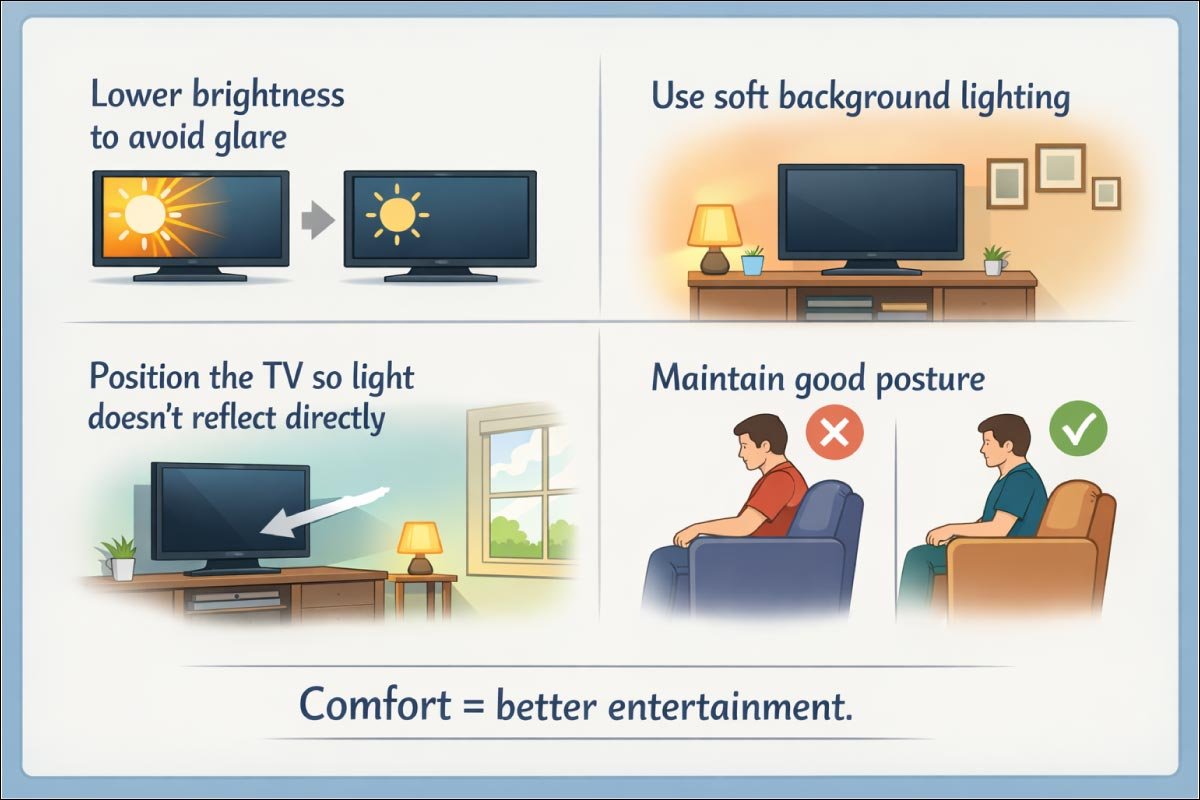
- Lower brightness to avoid glare
- Use soft background lighting
- Position the TV so light doesn’t reflect directly
- Maintain good posture
Comfort = better entertainment.
Discover More:
Quick Reference — Best Viewing Distance Guide
For a quick guide to optimal TV placement, this table summarizes recommended viewing distances for different screen sizes and resolutions.
It highlights the best resolution for each size, helping you choose the right TV
and seating arrangement for maximum comfort, clarity, and immersive viewing in any room.
| TV Size | 4K Viewing Distance (ft) | 1080p Viewing Distance (ft) | Best Resolution for Size |
|---|---|---|---|
| 43″ | 3.5–6 | 5–8 | 4K / 8K |
| 50″ | 4–6.7 | 6.7–10 | 4K / 8K |
| 55″ | 4.5–7.3 | 7.3–11 | 4K / 8K |
| 65″ | 5.3–8.7 | 9–13 | 4K / 8K |
| 75″ | 6.1–10 | 10.5–15 | 4K / 8K |
| 85″ | 6.8–11.3 | 12–18 | 4K / 8K |
Final Tips Before You Buy
Before investing in a TV, planning is everything. Room dimensions, viewing distance, and lighting all influence your experience.
Matching resolution, height, and screen features to your space ensures comfort, immersion, and long-term satisfaction.
Thoughtful preparation makes your purchase truly worth it.
- Measure your room first — floor to sofa distance
- Choose a resolution that matches your distance preference
- Taller viewers: mount slightly higher; shorter — lower
- Ambient lighting can affect perceived brightness
- Consider screen features: HDR, refresh rate, input lag
Pro Tip: If your space fits between sizes, go one size up for a more cinematic feel.
Discover More:
Final Thoughts
Choosing the right TV size isn’t just about picking the biggest screen you can afford. It’s about balance — between screen size, room dimensions, viewing distance, resolution, and comfort.
When done right, it:
-
Enhances your movie nights
-
Makes gaming more immersive
-
Lets you enjoy sports without missing a beat
-
Protects your eyes over long viewing periods
Use the tables above as your guide and measure twice before buying once.
Discover More:
