
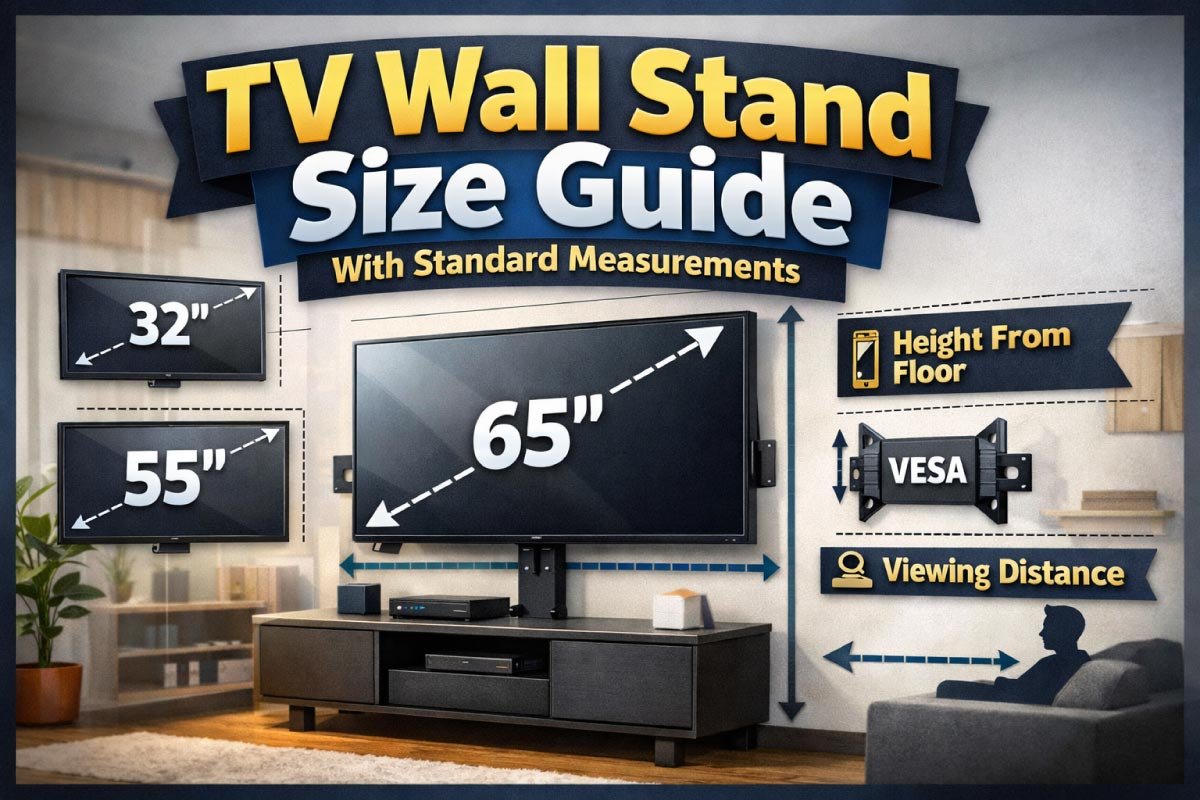
Choosing the right TV wall stand might seem simple — pick the size that fits your TV, right?
But smart selection goes beyond screen size: it involves viewing distance, wall and stand measurements, aesthetics, storage needs, and compatibility with your room’s layout.
This guide dives deep into size standards, placement rules, measurement charts, and real‑world tips — everything you need to confidently choose the right TV wall stand.
Why TV Wall Stand Size Matters
Choosing the right TV wall stand size is essential for both aesthetics and functionality.
The correct dimensions ensure safety, comfortable viewing, and harmony with your room’s layout.
It also accommodates devices and decor without crowding your space. A well-sized stand creates balance and enhances your overall entertainment setup.
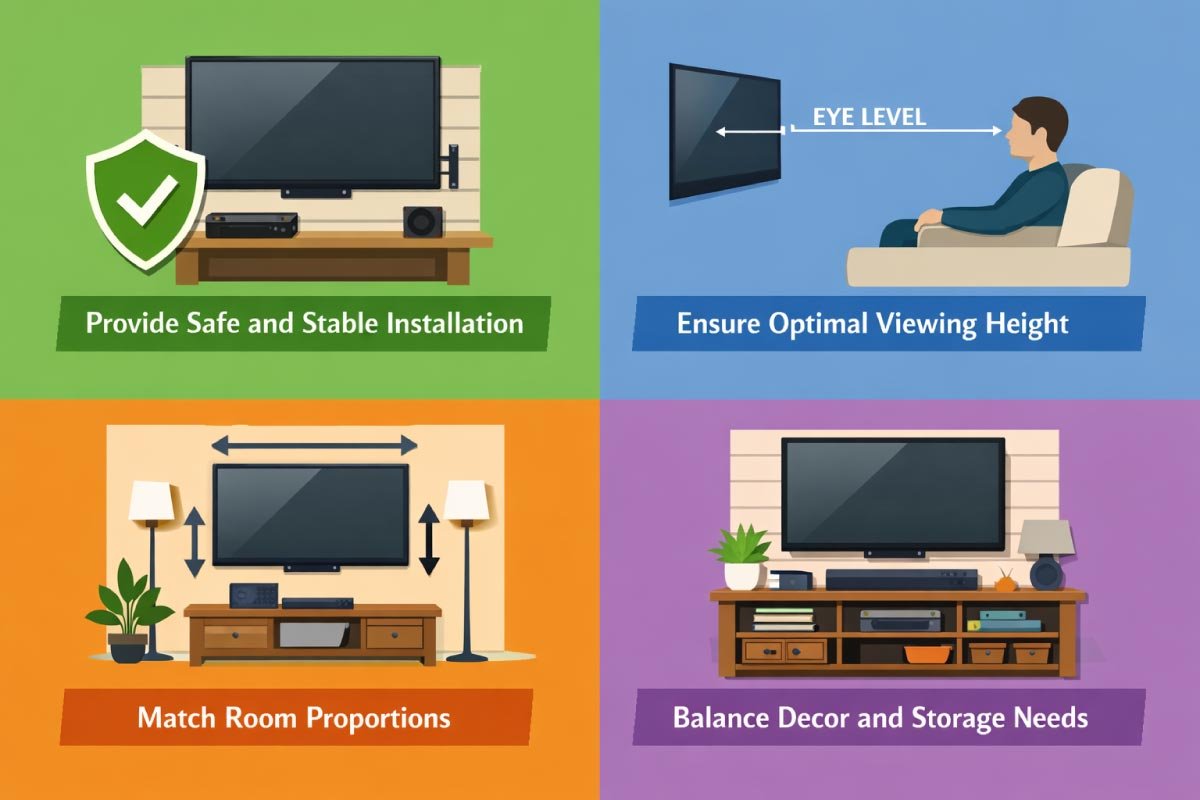
-
Provide safe and stable installation
-
Ensure optimal viewing height
-
Match room proportions
-
Balance decor and storage needs
-
Support soundbars, consoles, and media units
Picking one that’s too large may overwhelm your space, while one that’s too small may leave your entertainment area looking imbalanced or unstable. Read on to learn the standards and how to measure for the perfect fit.
Standard TV Wall Stand Sizes
Standard TV wall stand sizes help simplify your selection by aligning with common TV dimensions and room layouts.
Choosing a stand that fits these standards ensures stability, functionality, and visual balance.
Below are the typical sizes you’ll find in most furniture catalogs to guide your decision.
Standard TV Wall Stand Widths by TV Size
Choosing the right TV stand is essential for both safety and aesthetics. Stand dimensions should complement your TV size while providing stability and storage.
The chart below outlines recommended widths, depths, and heights for various TV sizes, ensuring optimal viewing, balanced proportions, and room for décor or accessories.
| TV Screen Size | Recommended Stand Width | Stand Depth | Stand Height (Typical) |
|---|---|---|---|
| 32″ TV | 40″ – 48″ | 12″ – 16″ | 20″ – 24″ |
| 43″ TV | 48″ – 60″ | 12″ – 16″ | 20″ – 26″ |
| 50″ TV | 60″ – 72″ | 14″ – 18″ | 22″ – 28″ |
| 55″ TV | 60″ – 72″ | 14″ – 18″ | 22″ – 28″ |
| 65″ TV | 72″ – 84″ | 16″ – 20″ | 24″ – 30″ |
| 75″ TV | 84″ – 96″ | 18″ – 22″ | 24″ – 32″ |
| 85″ TV | 96″ – 108″ | 18″ – 22″ | 24″ – 32″ |
Tip: The stand should ideally be at least 4–6 inches wider than the TV on both sides for balance and styling room.
How to Measure for Your TV Wall Stand
Measuring for a TV wall stand ensures a safe, comfortable, and visually appealing setup. Incorrect measurements can lead to awkward viewing angles, insufficient wall space, or even safety hazards.
By carefully checking your TV dimensions, available wall space, and ideal viewing height, you can choose the perfect wall mount that fits both your room layout and your viewing comfort.
1. Measure Your TV Width Accurately
Begin by measuring the width of your TV from one edge to the other. This measurement is crucial because the wall stand must fully support the television without overhang.
Use a tape measure for precision, and double-check the size against your TV’s specifications to avoid purchasing a stand that is too small or too wide.
2. Check Available Wall Width
Next, measure the width of the wall where you plan to mount the TV. Take into account any furniture, moldings, or obstructions that could interfere.
The stand should leave enough space around the TV for ventilation and aesthetic balance. Ensuring adequate wall width prevents a cramped look and allows for a comfortable viewing experience.
3. Determine Ideal Viewing Height
Measure the height from the floor to your eyes when seated comfortably on your sofa or chair. This ensures the TV is positioned at a natural angle, reducing neck strain.
Typically, the center of the screen should align with eye level. Adjustments may vary depending on room layout, seating height, and whether you prefer a slightly elevated or lower position.
4. Account for Wall Mount Specifications
Check the specifications of the wall mount you intend to use, including weight capacity, extension, tilt, and swivel features. Ensure it can safely hold your TV and accommodate adjustments for optimal viewing angles. Comparing the mount’s requirements with your wall type, such as drywall or studs, helps guarantee both safety and proper functionality.
5. Consider Surrounding Space and Accessories
Finally, factor in additional space for cables, speakers, or decorative elements around the TV. Proper spacing allows for ventilation and prevents overheating.
Leave enough room to route power cords, HDMI cables, or soundbars without obstruction. Planning this ahead ensures a clean, organized setup and enhances both functionality and the overall aesthetic of your entertainment area.
Step‑by‑Step Measurement Checklist
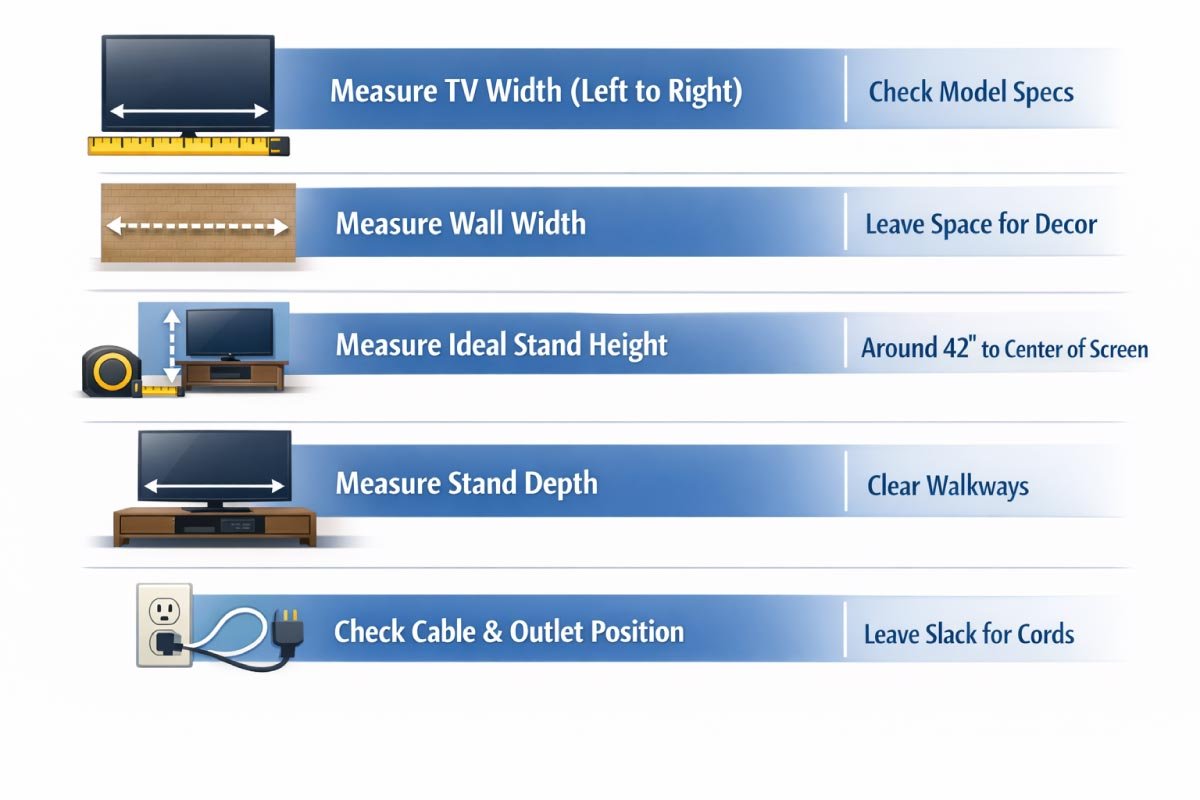
Accurate measurements are crucial when selecting a TV stand to ensure proper fit and comfortable viewing.
This step-by-step checklist guides you through measuring your TV, wall space, stand height, depth, and cable placement.
Following these steps helps prevent awkward gaps, blocked walkways, or misaligned viewing angles.
| Measurement Needed | How to Measure | Notes |
|---|---|---|
| TV Width | Tape measure from left to right edge | Use exact screen model specs if unsure |
| Wall Width Available | Measure wall space where stand will go | Allow extra space for decorations |
| Stand Height Preference | From floor to ideal viewing center | Typically 42″ mid‑screen from floor |
| Stand Depth Fit | Wall to front edge of stand | Must clear room walkways |
| Cable & Outlet Position | Wall to power outlet | Allow slack for cables |
Read More:
Ideal Viewing Heights
Placing your TV at the right height is crucial for comfortable and strain-free viewing. The ideal position keeps the screen’s center aligned with your seated eye level, enhancing clarity and reducing neck or eye fatigue.
Proper height also complements your room layout and furniture arrangement for a balanced look.
Recommended Viewing Height Guidelines
Proper viewing height enhances comfort and reduces eye or neck strain.
This chart outlines ideal TV screen center heights based on different seating positions, from sofas to floor lounges and beds.
Following these guidelines ensures an ergonomic setup, whether your TV is on a stand, cabinet, or wall-mounted.
| Seating Position | Ideal Screen Center Height | Notes |
|---|---|---|
| Couch / Sofa | 40″ – 42″ | Most common living rooms |
| Recliner | 42″ – 45″ | Slightly higher angle |
| Floor Lounge | 36″ – 38″ | Lower placement works |
| Bedroom Bed Frame | 48″ – 52″ | Depends on mattress height |
Pro Tip: If mounting above a cabinet, lower the TV slightly so the center remains near seating eye level.
Choosing Stand Height Based on Furniture
Choosing the right TV stand height is essential for comfortable viewing and cohesive room design. Consider factors like furniture height, shelving space, and media equipment placement.
A properly selected stand ensures eye-level viewing, maintains visual balance, and accommodates devices without clutter. You can choose stand height based on shelving, media equipment, and room design.
Stand Height vs Room Function
The ideal TV stand height varies depending on the room’s function and seating arrangements. This chart provides recommended stand heights for living rooms, media rooms, bedrooms, and kids’ playrooms.
Choosing the right height ensures comfortable viewing, safe placement, and a well-proportioned setup tailored to each space.
| Room Type | Recommended Stand Height | Reason |
|---|---|---|
| Living Room | 22″ – 28″ | Balanced for sofas & chairs |
| Family / Media Room | 24″ – 30″ | Higher placement aids visibility |
| Bedroom | 20″ – 26″ | At eye level from bed |
| Kids’ Playroom | 18″ – 24″ | Lower for safety & access |
Read More:
Stand Depth & Stability
Stand depth is a key factor for both safety and functionality. The right depth ensures your TV and media equipment fit securely while maintaining room balance.
Too shallow risks tipping, while too deep can overwhelm the space. Depth impacts how much equipment you can place on the stand and whether it will be stable with a large TV.
Stand Depth / Stability Guide
TV stand depth directly impacts stability and functionality. This chart outlines minimum recommended depths for different TV sizes, ensuring your set sits securely and devices fit comfortably.
Adequate depth prevents tipping, supports heavier TVs, and provides room for consoles, speakers, or media accessories without overhang.
-
TV Size Min. Recommended Depth Notes 32″ – 43″ 12″ – 16″ Can allow slim cabinets 50″ – 65″ 14″ – 18″ Best for consoles & speakers 75″ – 85″ 16″ – 22″ Extra depth adds security
Tip: If your TV stand has open shelves, ensure depth allows devices like consoles and DVD players to sit fully without hanging over.
Stand Placement & Wall Considerations
Proper stand placement ensures your TV setup is both functional and visually balanced. Consider how the stand interacts with walls, outlets, and surrounding furniture. Thoughtful positioning improves accessibility, organization, and aesthetics.
Even the perfect size won’t help if your stand doesn’t fit visually or physically in the space. Plan for:
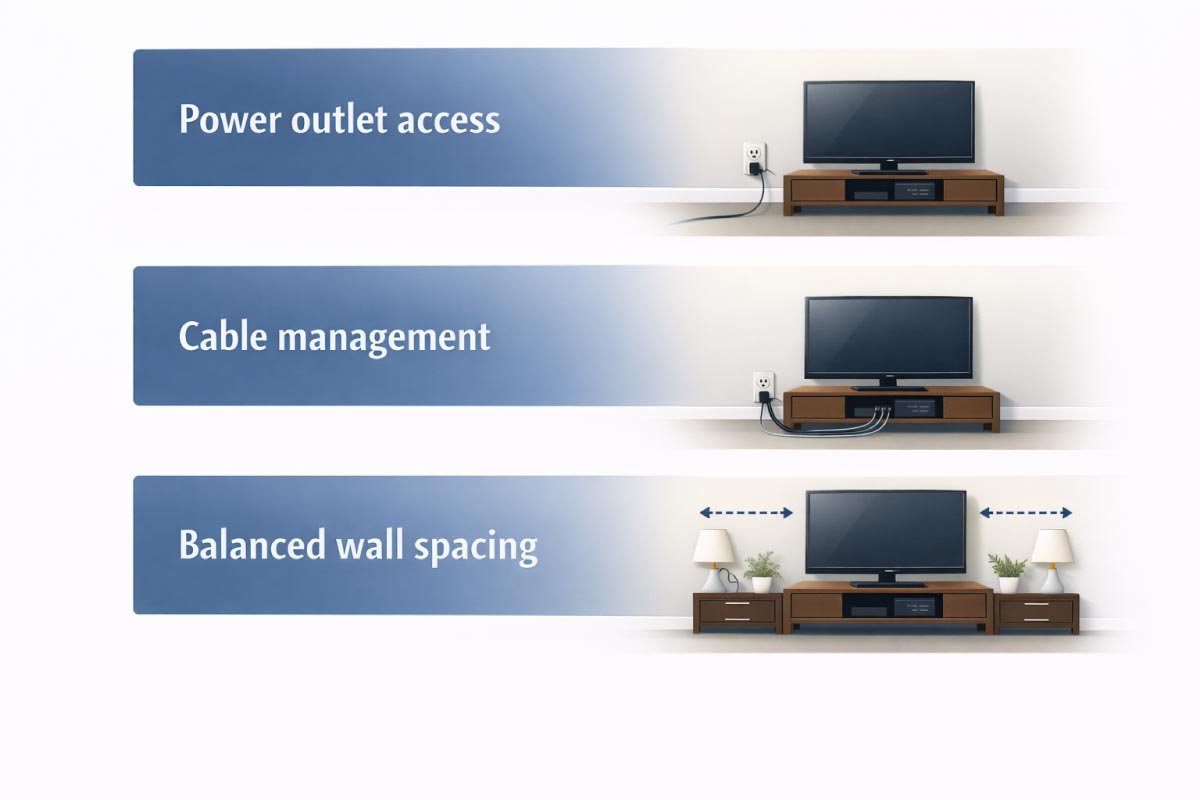
-
Power outlet access
-
Cable management
-
Balanced wall spacing
Wall & Stand Planning Guide
Proper TV placement combines comfort, safety, and aesthetics. This guide outlines key planning considerations for wall or stand setups, including screen height, side clearance, seating distance, cable access, and sound bar positioning.
Following these recommendations ensures an optimal viewing experience while keeping your setup functional and visually balanced.
| Placement Consideration | Recommendation |
|---|---|
| Distance Above Floor | Center of screen at ~42″ |
| Clearance From Side Walls | ≥ 4″ on each side if possible |
| Cable Outlet Access | Place near center of stand |
| Distance From Seating | 1.5 – 2.5 × TV diagonal length |
| Soundbar Placement | Stand shelf or mount below TV |
Read More:
Viewing Distance: How Far to Sit
Viewing distance is crucial for a comfortable and immersive TV experience. Proper spacing reduces eye strain while maximizing picture clarity and detail.
By calculating distance based on your TV size, you ensure the stand placement supports optimal viewing. The correct viewing distance matters more than stand size. Too close and your eyes strain; too far and detail fades.
Rule of Thumb:
Distance = 1.5 to 2.5 × TV diagonal size
-
43″ TV → 5.5′ – 9′ away
-
55″ TV → 6.9′ – 11.5′ away
-
65″ TV → 8.1′ – 13.5′ away
-
75″ TV → 9.4′ – 15.6′ away
This helps you determine whether your wall stand placement supports comfortable viewing.
Aesthetic Tips for Choosing a Stand
A TV stand plays a key role in your room’s overall aesthetic. Beyond size and function, it should complement your style and décor.
Thoughtful selection enhances harmony, balances visual weight, and highlights your space. A TV stand shouldn’t just fit, it should harmonize:
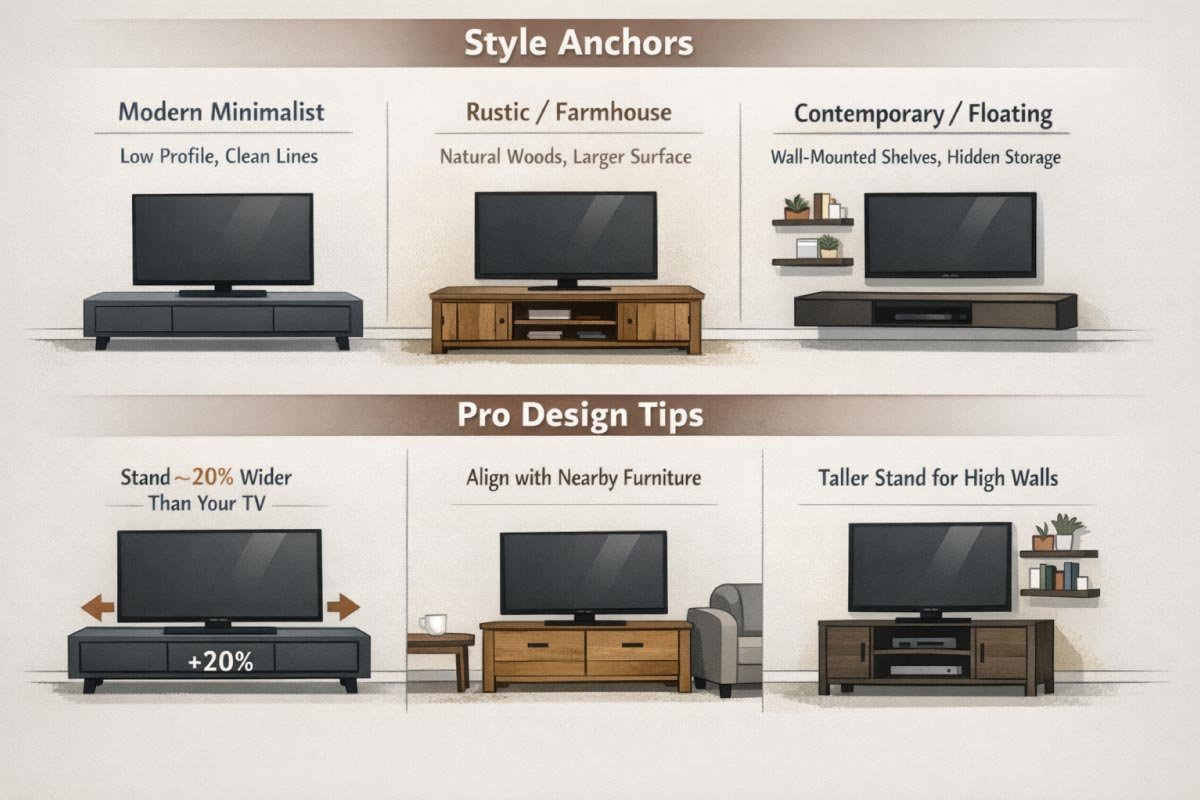
Style Anchors
-
Modern Minimalist: Low profile, clean lines
-
Rustic / Farmhouse: Natural woods, larger surface
-
Contemporary / Floating: Wall‑mounted shelves, hidden storage
Pro Design Tips
Professional design tips help your TV setup look intentional and polished. Small adjustments in width, height, and proportion can make a big difference in balance and room flow. Thoughtful design ensures comfort, accessibility, and style. Keep stand width ~20% wider than your TV for visual balance.
-
Keep stand width ~20% wider than your TV for visual balance.
-
Choose stand height that aligns with nearby furniture (coffee table, sofa arms).
-
If the wall is tall, consider taller stands with decorative shelving.
Storage & Equipment Considerations
TV stands often double as media storage, so planning for your equipment is essential. Proper organization keeps devices accessible, cables tidy, and the space visually appealing. Consider the size and arrangement of your electronics and accessories. A TV stand often functions as a media console. Think about:
- Sound bar fit
- Game consoles
- Cable boxes
- DVD/Blu‑ray players
- Decorations and storage baskets
Adjustable shelves and cable cutouts help organize your electronics.
Read More:
Installation & Safety Tips
Safety and proper installation are crucial when setting up your TV stand. Correct anchoring, leveling, and cable management prevent accidents and protect your equipment.
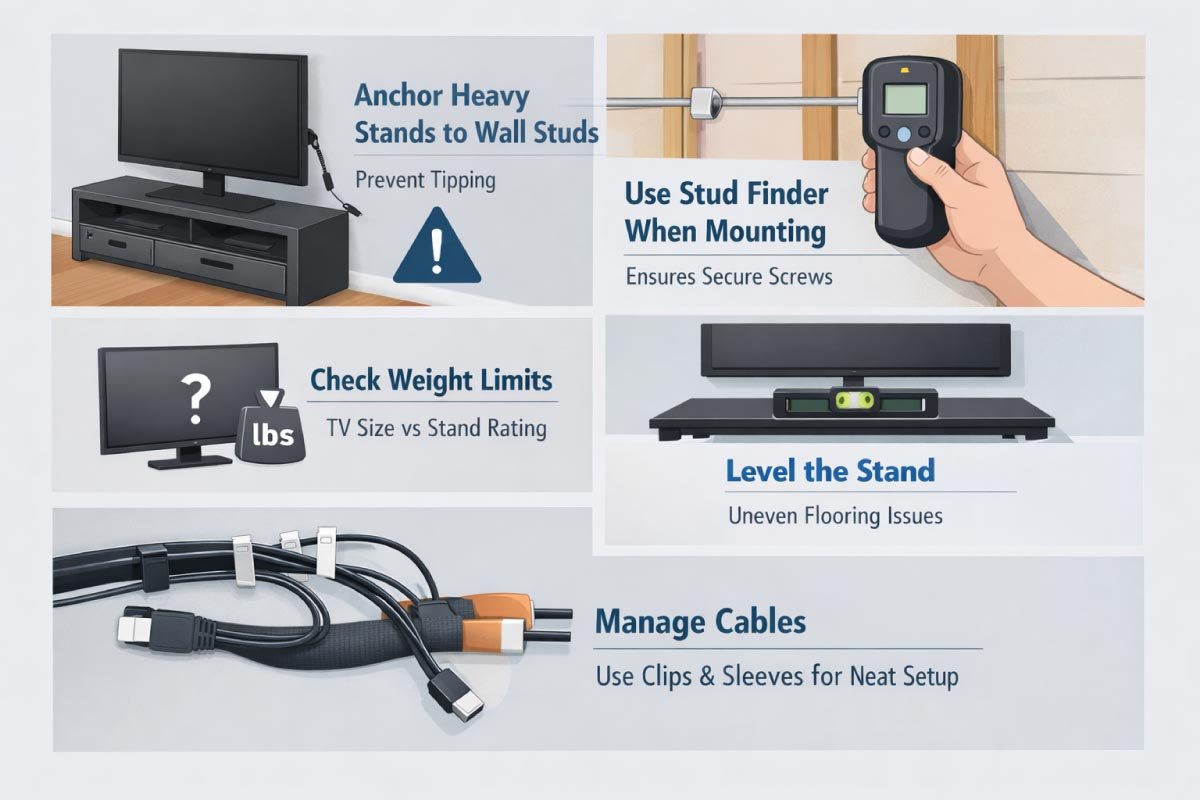
Attention to detail ensures a secure and tidy setup. Anchor heavy stands to wall studs: Prevent tipping
-
Anchor heavy stands to wall studs: Prevent tipping
-
Use stud finder when mounting: Ensures secure screws
-
Check weight limits: TV size vs stand rating
-
Level the stand: Uneven flooring can cause stability issues
-
Manage cables: Use clips and sleeves for neat setup
Final Checklist Before Buying
Before making your purchase, double-check these essentials to ensure a perfect fit and viewing experience.
Confirm your TV and wall measurements, stand dimensions, viewing height, and equipment depth. Don’t forget to account for room distance and power outlets. This checklist guarantees a functional, safe, and visually balanced setup.
- Measured TV width
- Measured wall width available
- Ideal viewing height validated
- Stand width ≥ TV width + aesthetic buffer
- Stand depth supports equipment
- Viewing distance fits room
- Power outlet location considered
Conclusion
Choosing the right TV wall stand size ensures your entertainment center is comfortable, visually balanced, and functional.
Whether you’re mounting a 32″ TV in the bedroom or a 75″ cinematic centerpiece in your living room, understanding how width, height, depth, and viewing distance work together helps you make a smart decision.
Use the tables above to compare and measure — then pick a stand that supports your TV, elevates your room, and enhances your viewing experience.

I am Engineer Hassan, a professional engineer with over 15 years of experience in measurements, design accuracy, and furniture, appliance, and home product sizing. Through Size Helper, I provide research-based guides and trending 2026 home design ideas for living rooms, bedrooms, sofas, wall décor, fashion, and sports—helping users make confident, informed decisions. Every guide is written with real expertise, verified data, and a commitment to quality, usability, and style.